
Games Room Heating Guide
Use the heater touch panel to make the room warmer or cooler.
The heaters run on a schedule for guest comfort, so any manual change may return to the normal setting later.
Heater Controls
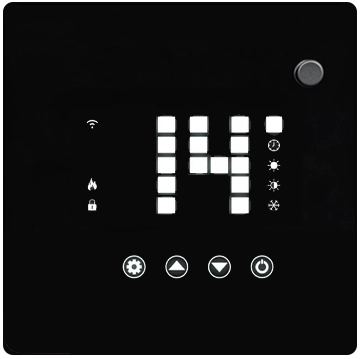
The controls are on the touch display in the top-right corner of the heater.
⚙
Setting
▲
Up
▼
Down
1
Press Setting ⚙
Press the Setting button ⚙ and wait for the light to flash.
2
Adjust the temperature ▲ ▼
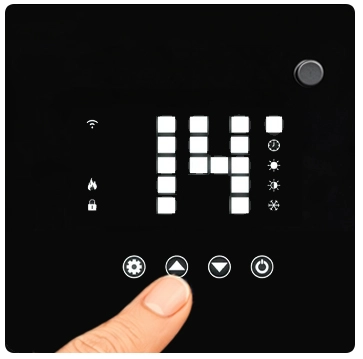
Use Up ▲ to increase or Down ▼ to decrease the set temperature.
Please do not switch the heaters off at the wall. This will cancel the remote schedule and require the host to reset it.
Return to the main guest information page